nurah

How it works

Explore the Nurah experience

Your light routine, from first tap to first ritual.

From what you want to achieve to your first guided session, Nurah brings your goals, device, schedule and private progress into one calm app — Today, Journey, Products and Profile.

Step 1

Tell Nurah what you’re here for.

After you sign in with Apple or Google, a short setup begins. Start with your intent — you already have a light device, you’re exploring light therapy, or you’d like help building a routine. Your answer shapes the steps that follow. You can pause and pick up where you left off.
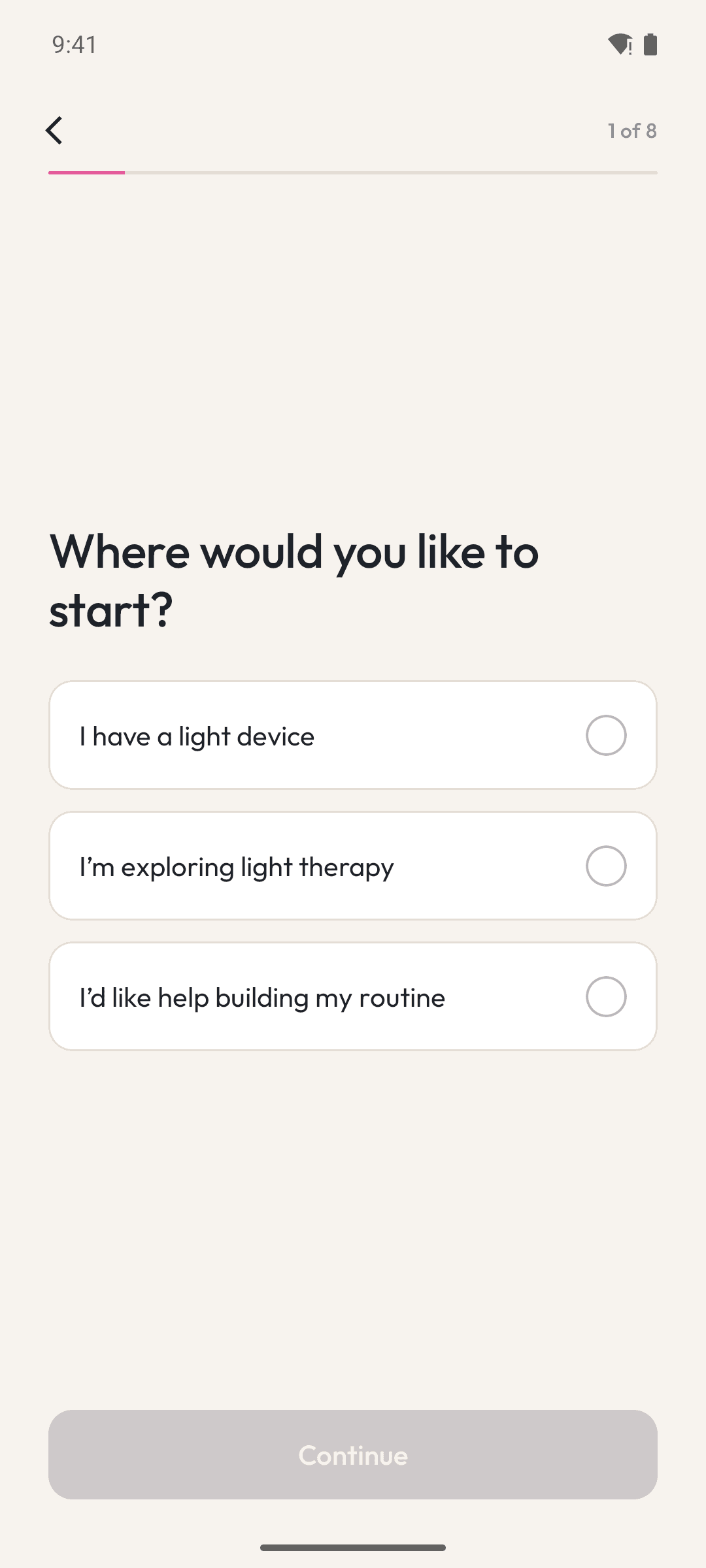
Setup in the Nurah app — where would you like to start

Step 2

Find your device — or start without one.

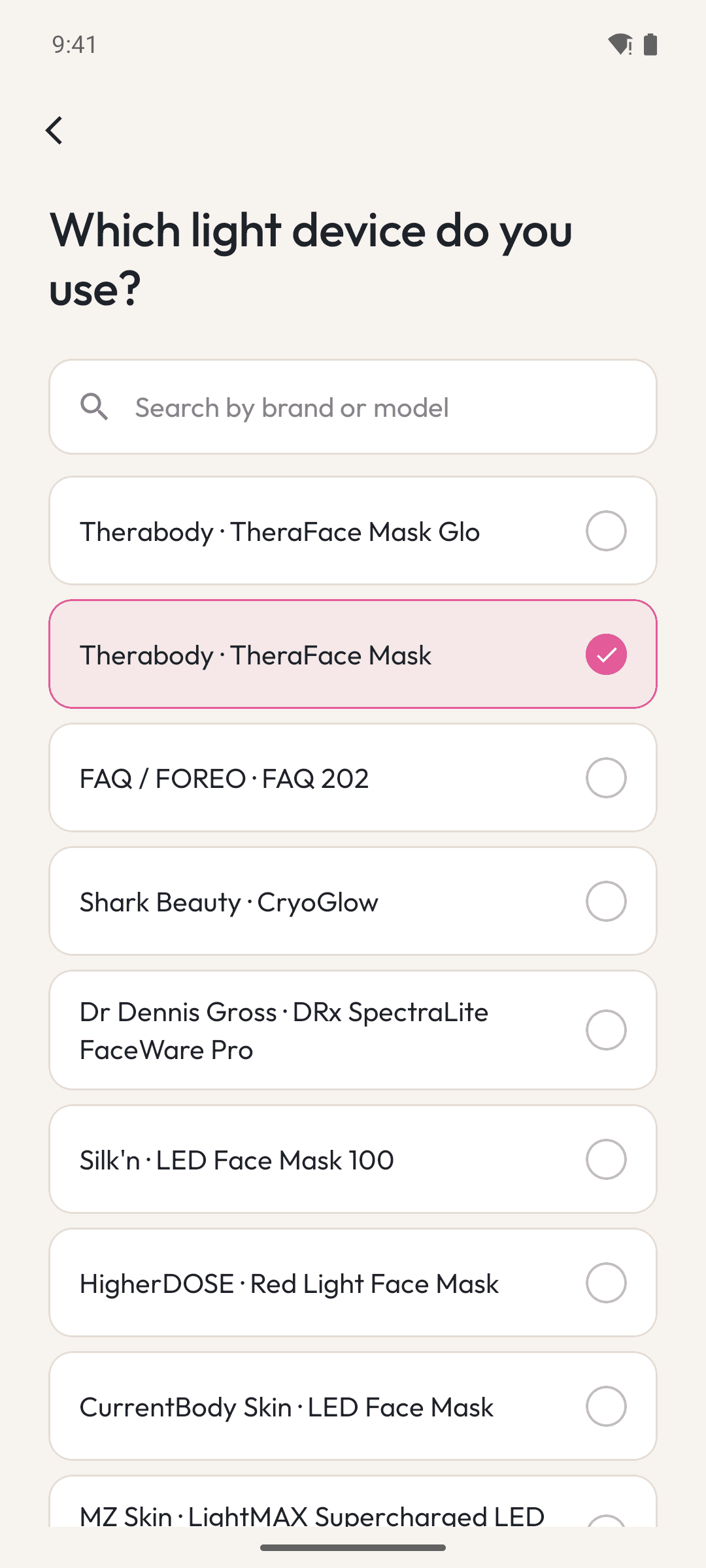
Search by brand or model and choose your device from the Nurah catalogue. Can’t find it, or don’t have one yet? Carry on without a device and add it whenever you’re ready.

Setup in the Nurah app — which light device do you use

Step 3

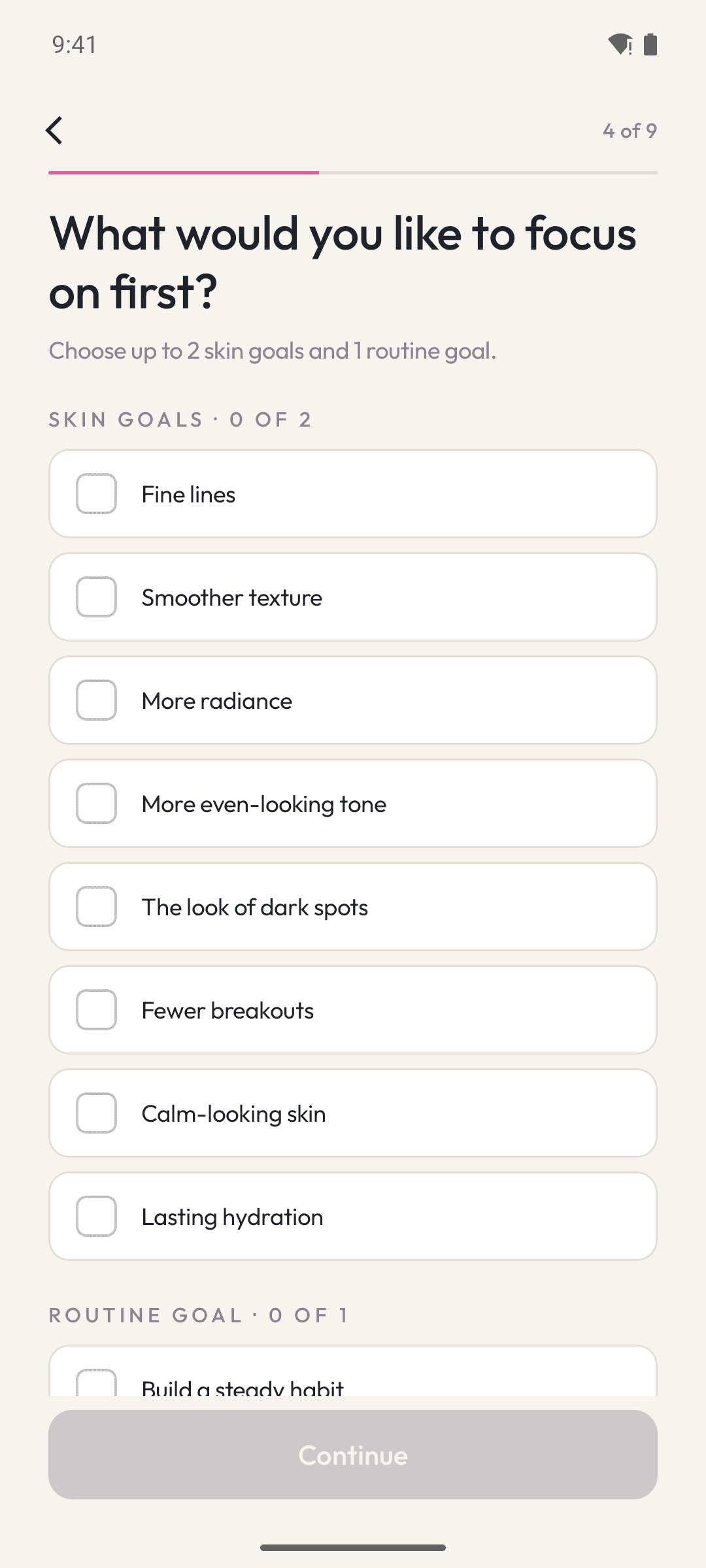
Choose your goals and skincare stack.

During setup you pick up to two skin goals and one routine goal, then tell Nurah what you already use — or that you don’t have a regular routine yet. Those choices shape your ritual and stay available on Profile to review later.

Setup in the Nurah app — choose skin and routine goals

Step 4

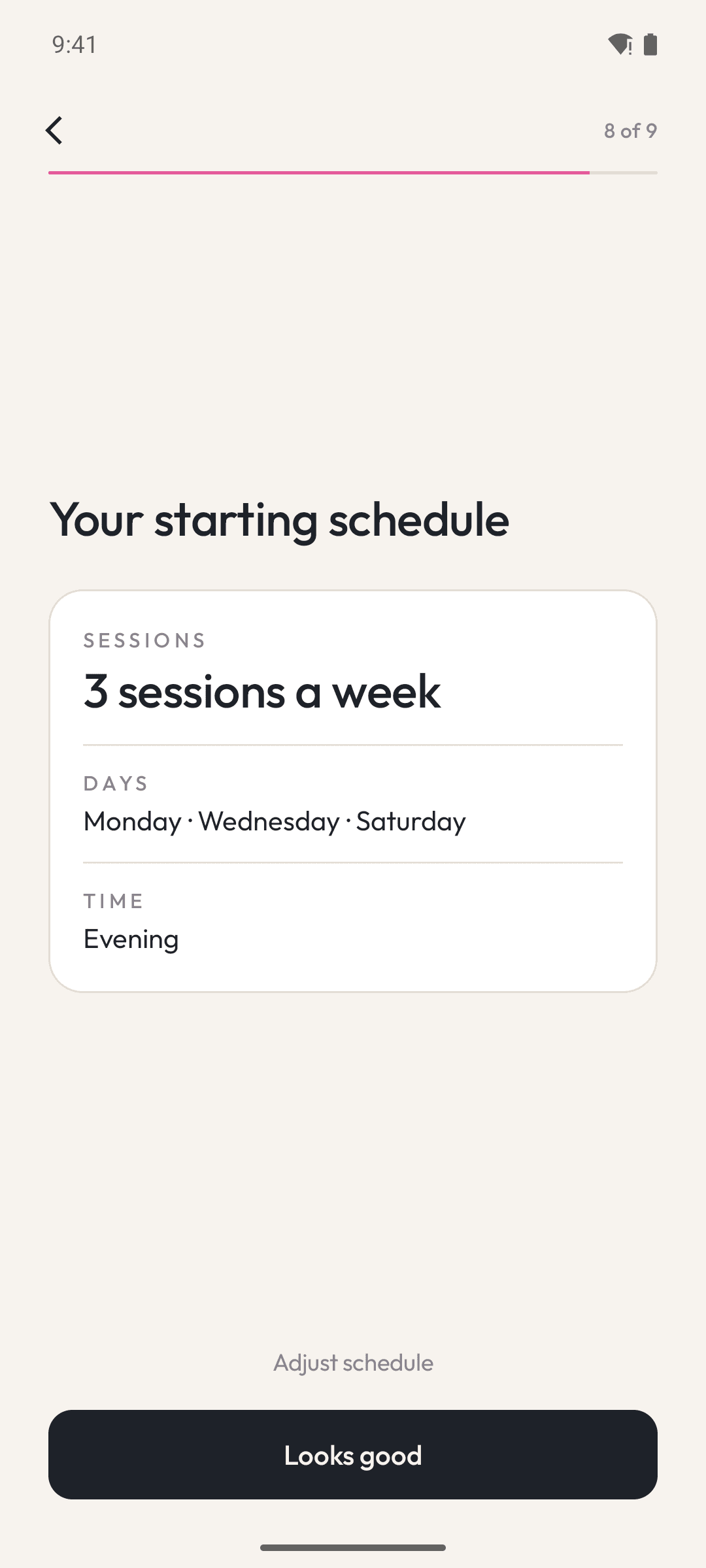
Set a schedule that fits your week.

Choose two, three or four-plus sessions a week and a preferred time, or pick exact days and a specific time. Preview the plan, adjust it, and approve it when it looks right.

Setup in the Nurah app — your starting schedule preview

Step 5

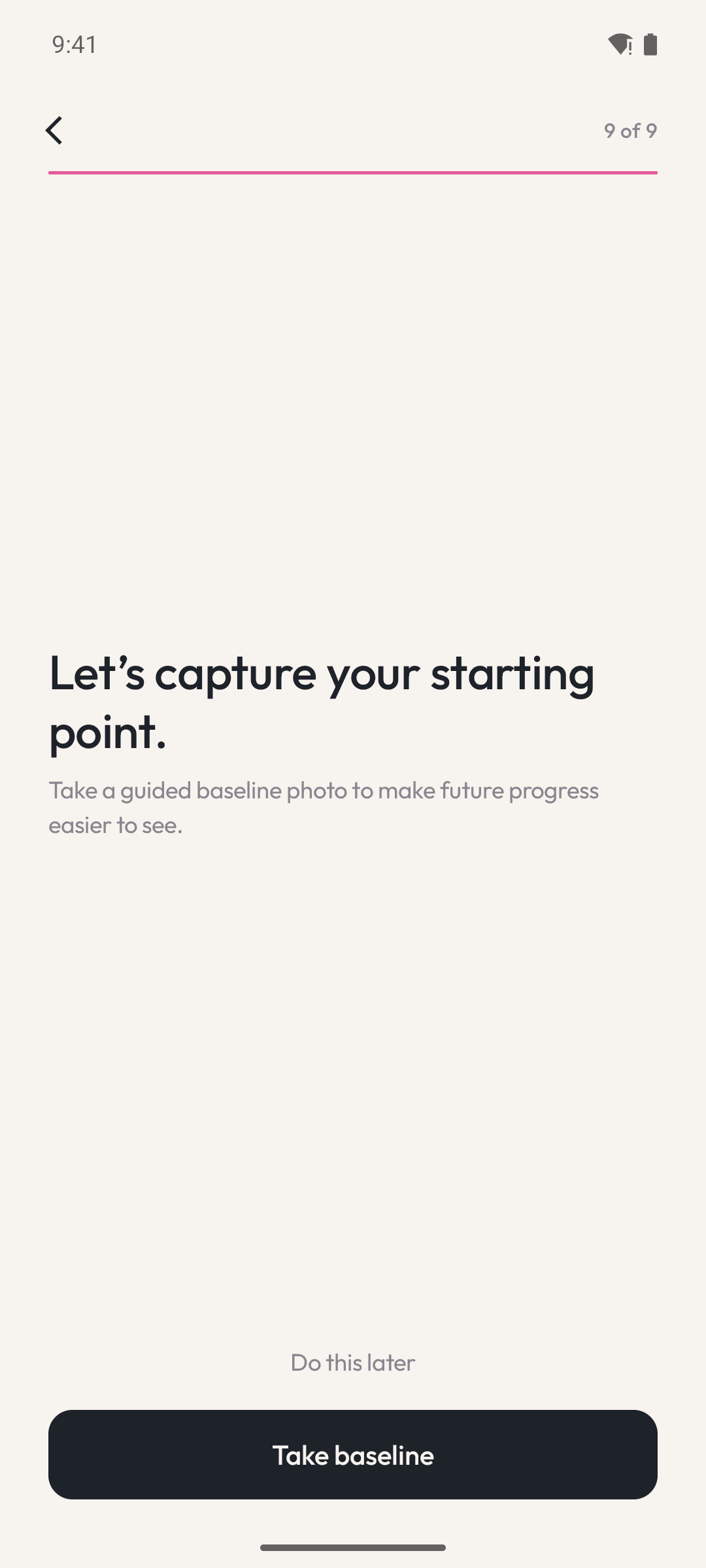
Add a starting-point photo — if you want to.

A baseline photo is optional and can wait. If you choose to take one, Nurah explains the purpose first, asks for your consent, and guides the capture with simple tips. It is for tracking your own progress privately — not for diagnosis.

Setup in the Nurah app — optional starting-point photo

Step 6

Nurah builds your routine.

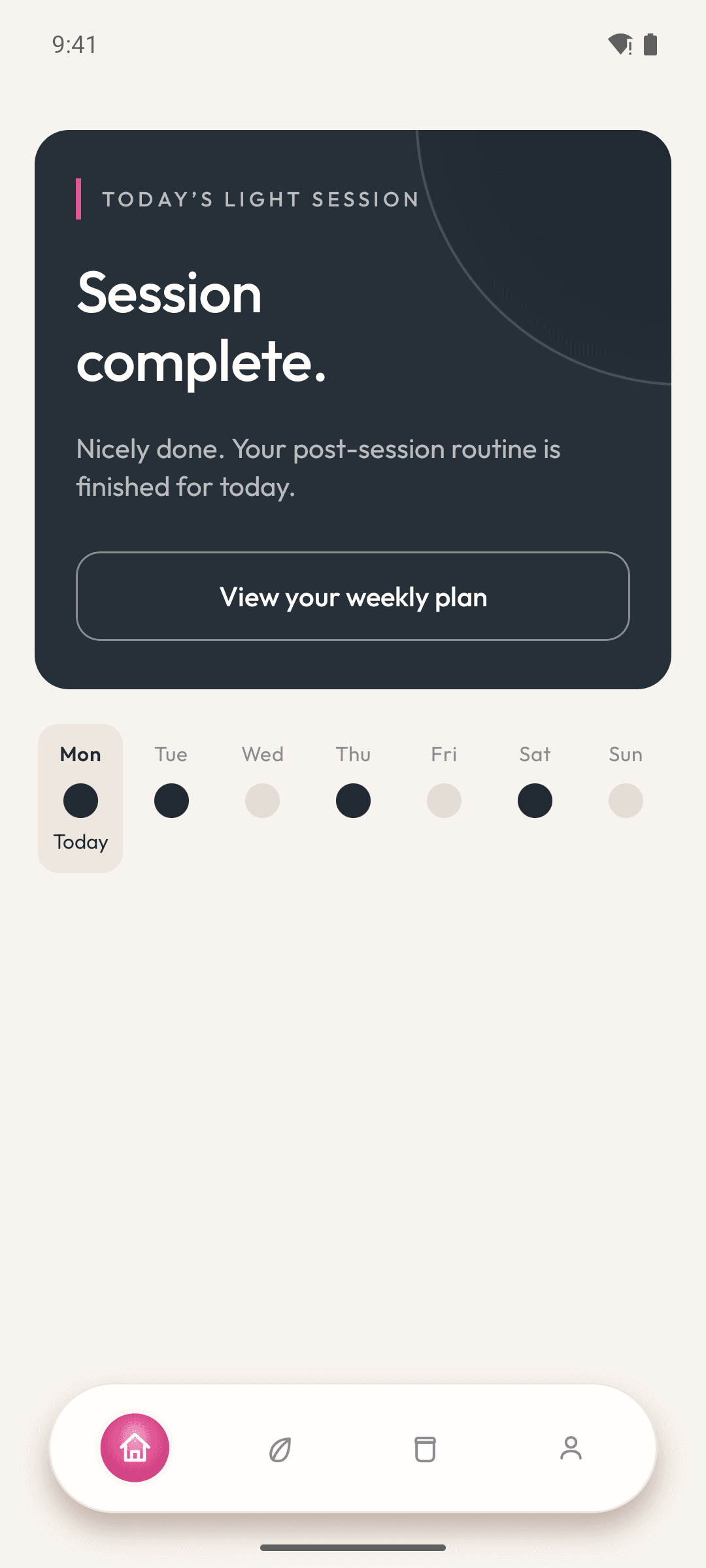
Your goals, device and schedule come together into a routine. Today shows when your next light session is due, with a clear path into your weekly plan whenever you want to adjust.

Today screen in the Nurah app — next light session

Step 7

Follow your Today ritual.

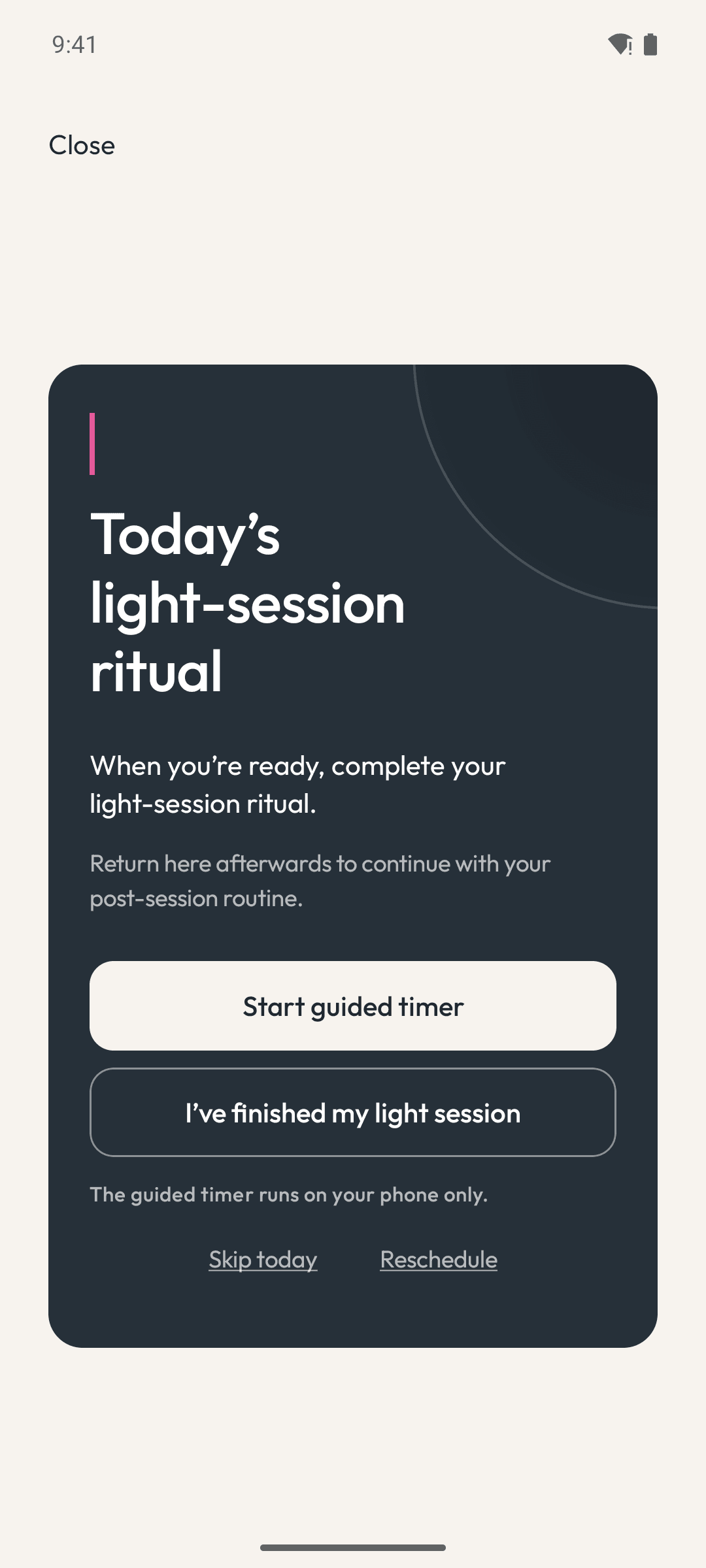
When a session is due, Today brings it to the front. Complete your light session at your own pace, then tell Nurah you’ve finished — completion is always reported by you. Afterwards, follow your skincare steps in order.

Today’s light-session ritual in the Nurah app — start the guided timer or mark finished

Step 8

Look back in Journey.

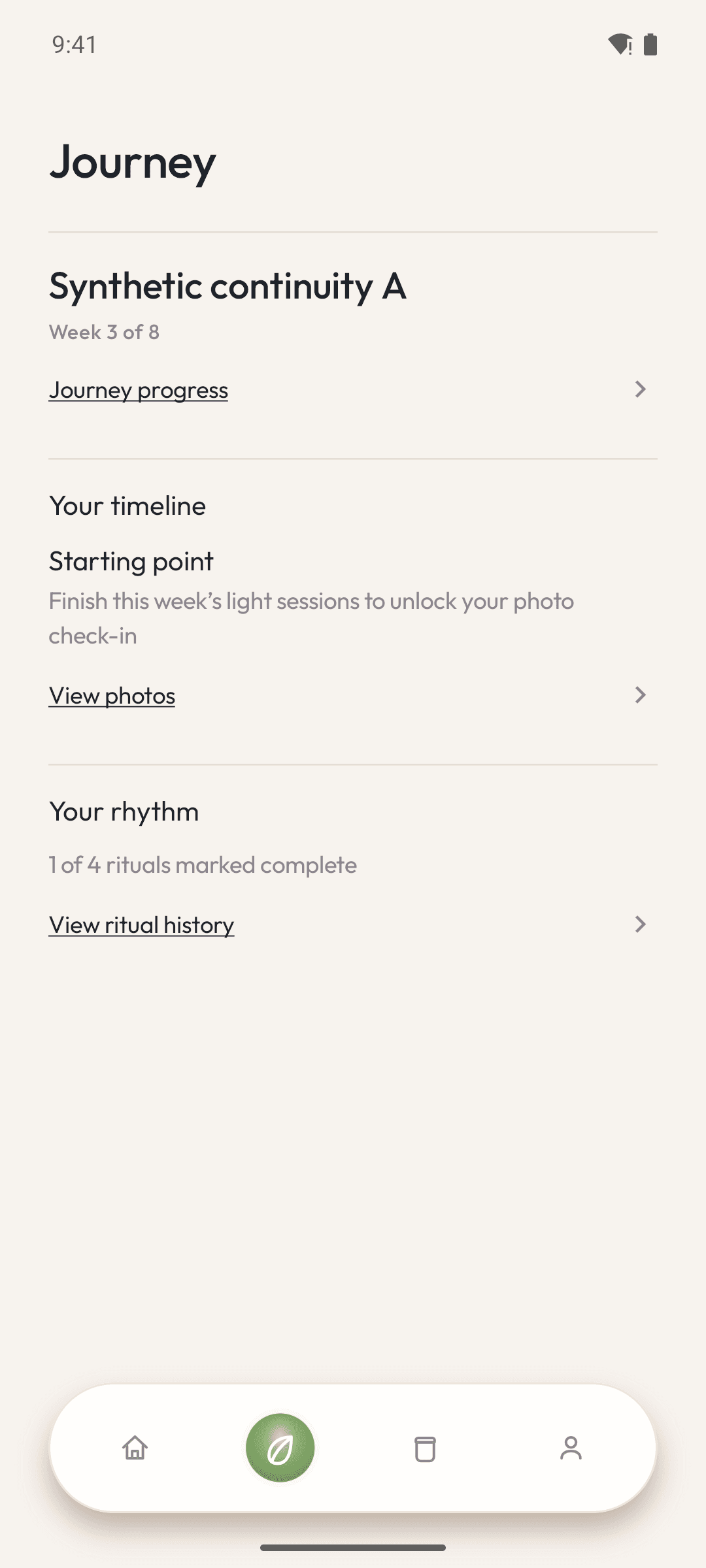
Journey holds your program progress, private timeline and ritual history — so you can see what you completed and unlock photo check-ins in your own time. The Products tab (not shown here) keeps the skincare steps that follow each session, curated and editable rather than a store.

Journey in the Nurah app — progress, timeline and ritual rhythm

NURAH PRINCIPLE · The value is not in collecting more data. It is in a routine you can keep.

Your goals. Your device. Your rhythm. Your private progress.

Get the app
Today screen in the Nurah app

Make your light routine yours.

Set your goals, shape your week and follow a ritual that fits — with a private place for your progress.

Get the app

Coming to the App Store and Google Play — details at launch